Adding - Reedroux
Ready to start listening with Reedroux? Well it's super easy so let's get into it!
Invite me!
👋 Reedroux ( |
Authorization
Step 1
Once you've decided to use the best companion on Discord, then you can continue to invite it to your favorite server!
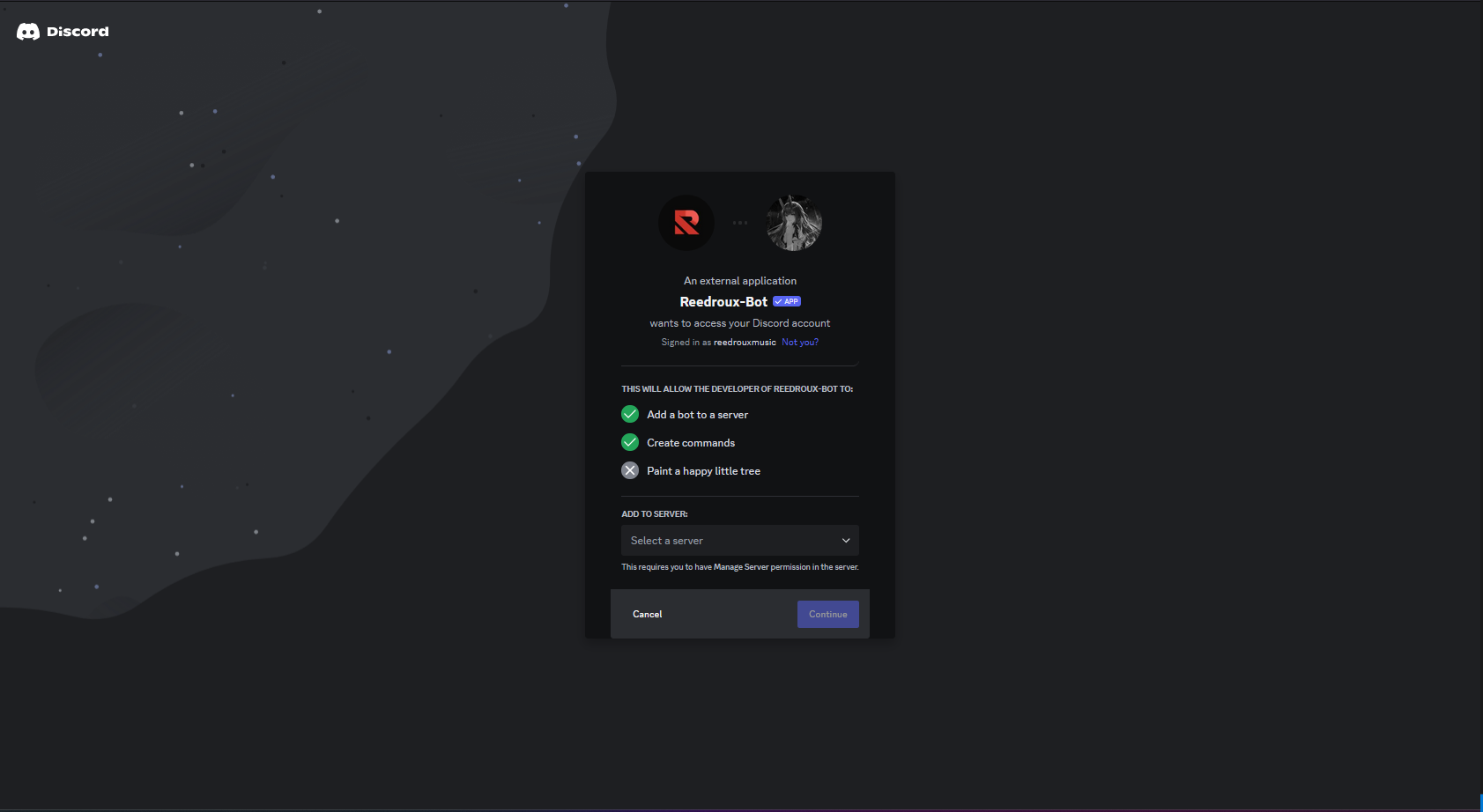
Tap or click the Select a server button. A pop-up should appear that will let you select where you'd like to add Reedroux.
Step two
Once you've selected the server that you'd like to add Reedroux to, you can press the Continue button on the bottom right of the menu.
You should now see something similar to this:
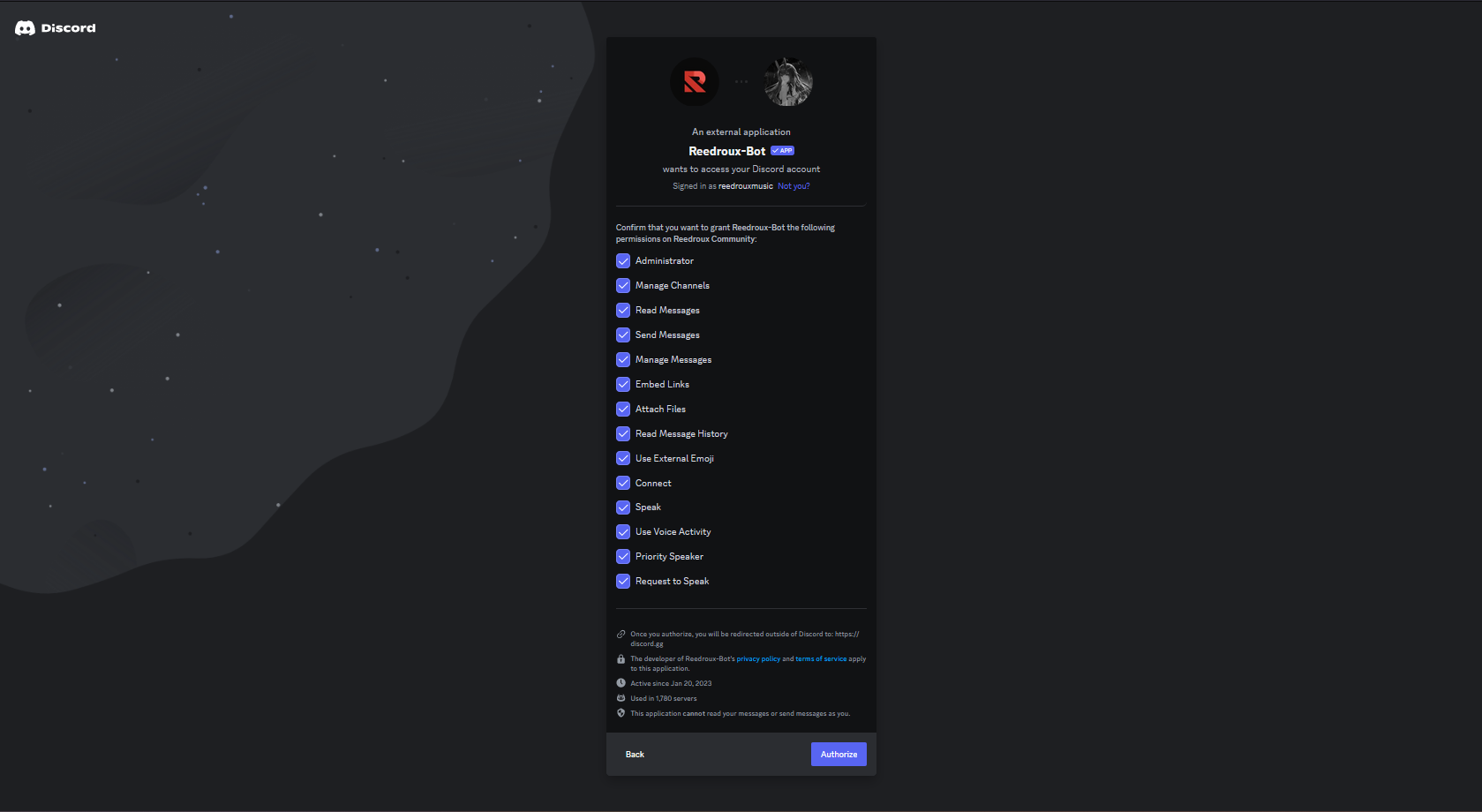
If you want to disable Administrator permission from Reedroux, it will not work properly! You will still be able to listen to basic music features but some things won't work.
Final Step
Once you press the Authorize button and complete the Captcha, you should be redirected to our thank-you page. In addition, you'll also see a message like the one below in your Discord server. Spectacular!
Now let's get the party started by playing some songs!